
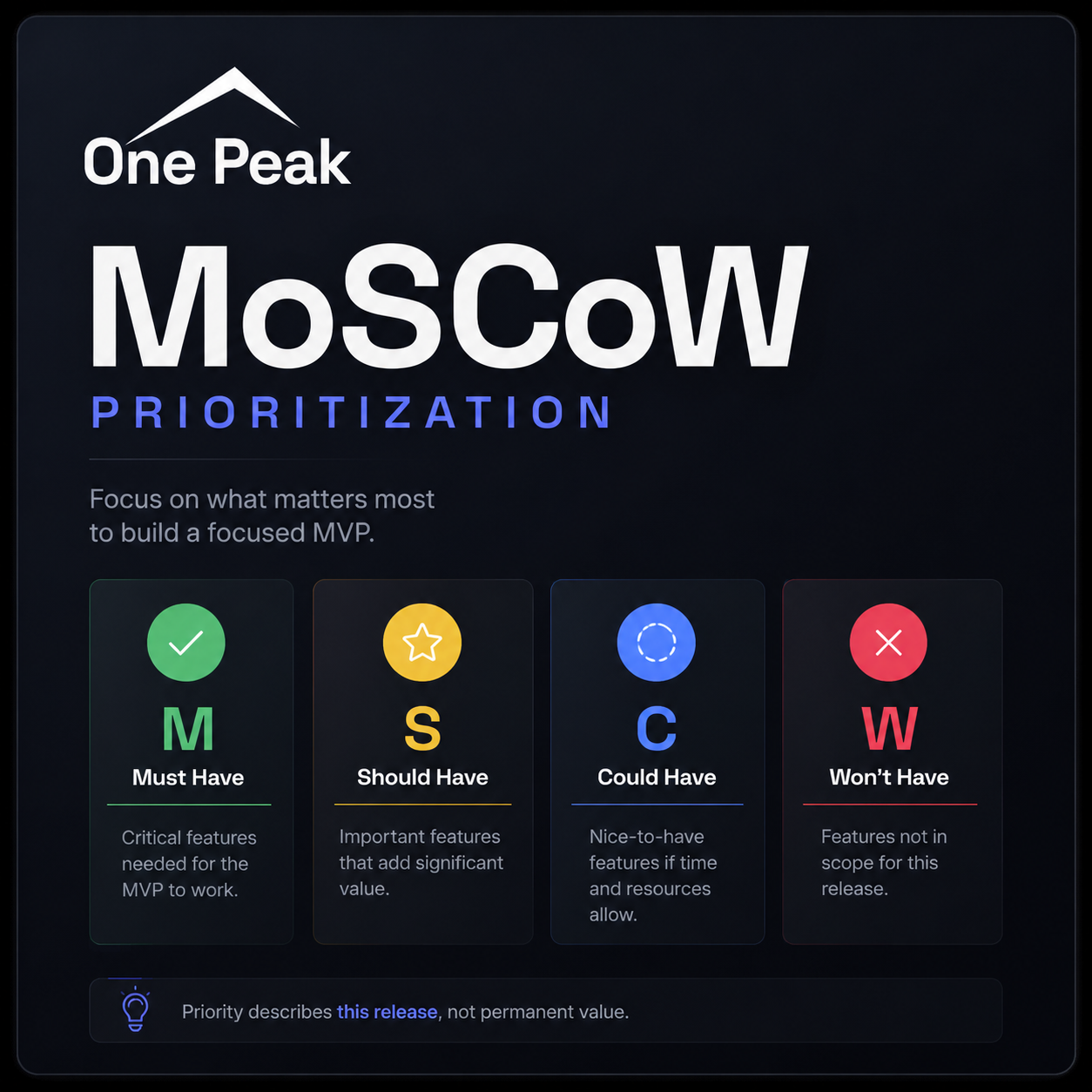
MoSCoW prioritization sorts requirements into four groups: Must Have, Should Have, Could Have, and Won't Have this time.
The labels are simple. Using them honestly is harder, especially when everyone has a different idea of what the first release needs. For an MVP, MoSCoW helps the team protect the main user journey and set aside features that can wait.
Start with the outcome, not the feature list
Before sorting the backlog, write down what the MVP needs to prove:
We believe [specific audience] will use [solution] to achieve [valuable outcome]. We will consider this validated when [measurable behavior] occurs.
For example:
We believe small service businesses will use an online booking tool so customers can schedule without calling. We will consider this validated when 20 businesses receive completed bookings.
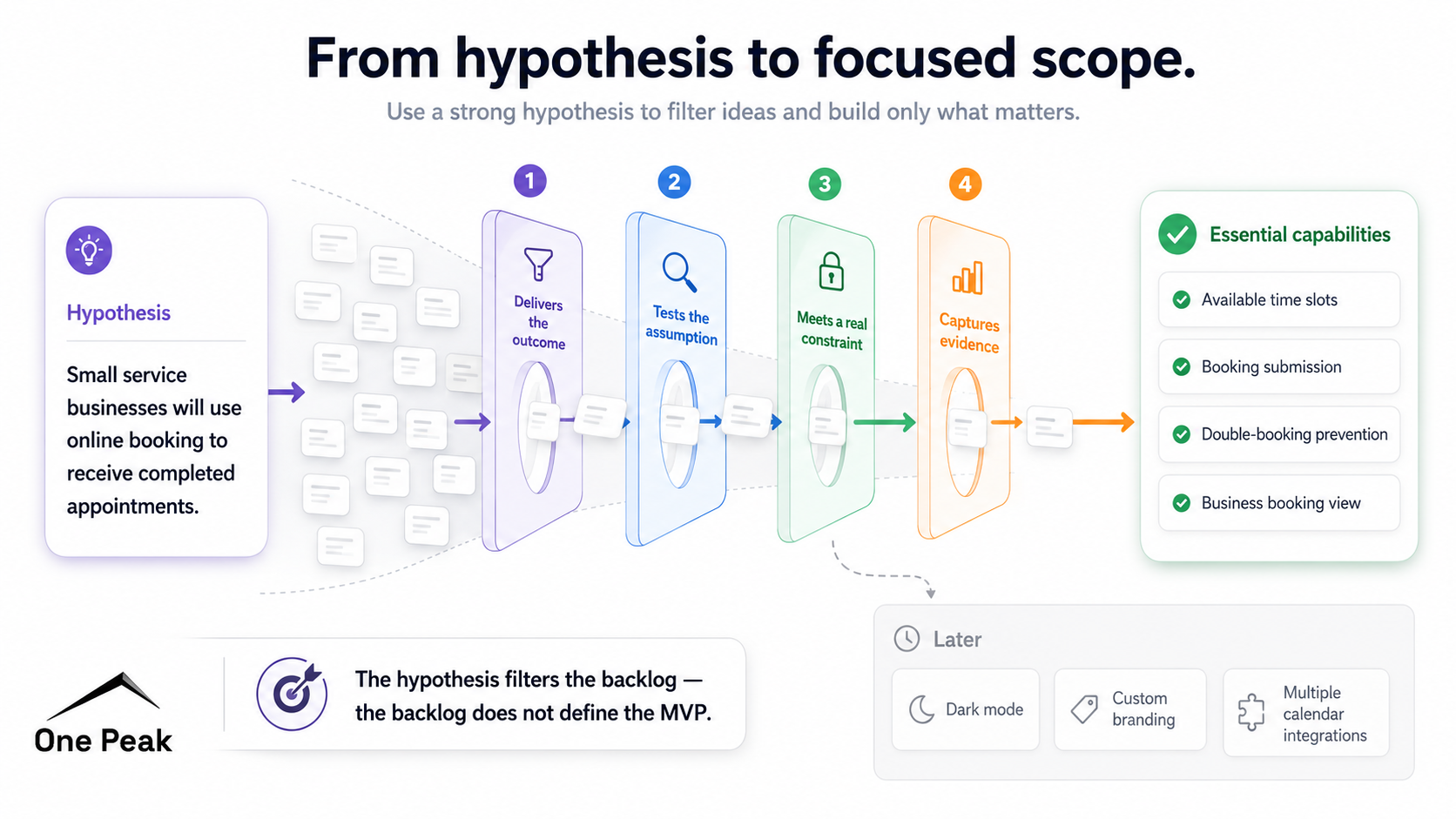
Now the team has something concrete to work against. A feature earns a place when it helps deliver the outcome, test the assumption, meet a real constraint, or collect the evidence needed for the next decision. "A competitor has it" is not enough.
Define one complete user journey
Next, map one complete path from entry to value. For an appointment booking product, it might look like this:
Business creates availability → customer selects a time → booking is confirmed → business sees the booking.
The first release does not need every scheduling rule or calendar integration. It does need to make this journey work reliably. A small scope is fine. A broken journey is not.
Classify each requirement
Must Have
A Must Have is something the release cannot do without. Remove it and the main journey fails, the hypothesis cannot be tested, or the product becomes unsafe or unusable.
The best test is blunt: would we cancel or postpone the release if this were missing?
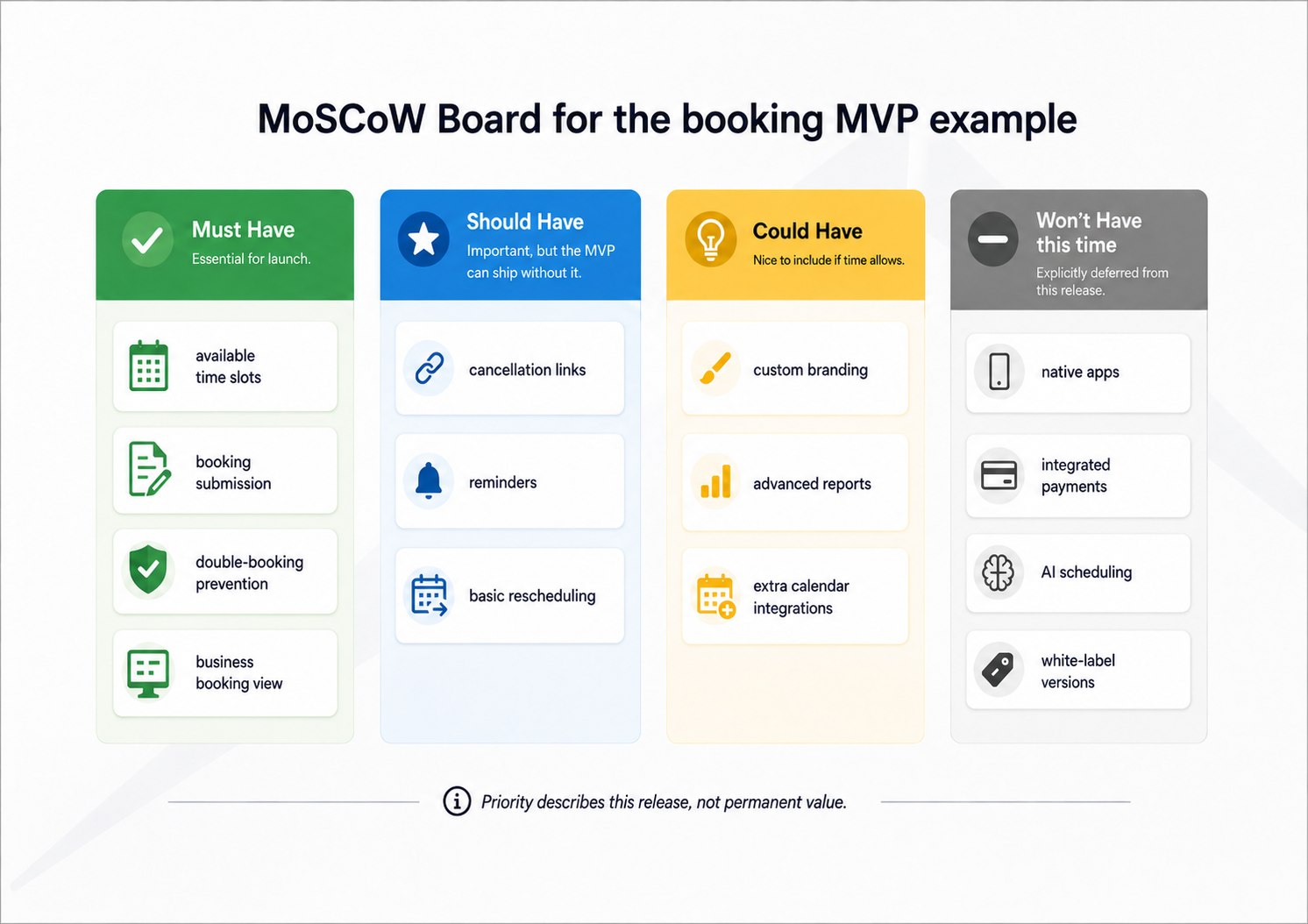
For the booking product, that may include displaying available times, submitting a booking, preventing double bookings, and showing the result to the business. A basic confirmation may also be necessary. Branded email templates are not.
If a temporary workaround exists, even an awkward manual one, the requirement probably belongs in Should or Could.
Should Have
A Should Have matters, but users can still complete the main journey without it. Leaving one out may create extra work or a rougher experience.
Cancellation links, reminders, basic rescheduling, weekly reports, and calendar exports could all sit here. Handling cancellations manually is inconvenient, but the team can still test whether businesses want online booking.
Could Have
A Could Have makes the product nicer without changing what the MVP can prove. Think custom colors, dark mode, advanced reports, or another calendar integration.
These features give the plan some breathing room. If time runs short, they are the first to go. The deadline and basic quality of the product should not depend on them.
Won't Have this time
Won't Have means "not in this release." It does not mean never. Native apps, integrated payments, multi-location management, AI scheduling, or white-label versions may all belong here.
Write down the reason for each decision. Otherwise, the same ideas tend to return halfway through the build with no record of why they were excluded.
Challenge every proposed Must
This is where MoSCoW often falls apart. Everything important gets called a Must, and the MVP quietly turns back into the full product. Push on each proposed Must:
- Does the main journey fail without it, or does it simply become less convenient?
- Would we genuinely stop the launch?
- Could a spreadsheet, support ticket, or manual approval replace it temporarily?
- Does it help deliver or measure the hypothesis?
- Can we reduce it to a smaller capability?
- Do we need it now, or only in a later version?
Broad feature names such as "analytics" or "authentication" make this harder. Break them into specific things a user or the system must be able to do. Recording a completed booking may be a Must. A full analytics dashboard could wait.
Prioritize effort, not feature count
Feature count tells you very little about delivery risk. Ten small Must Haves may take less work than one difficult integration, so compare effort rather than counting cards.
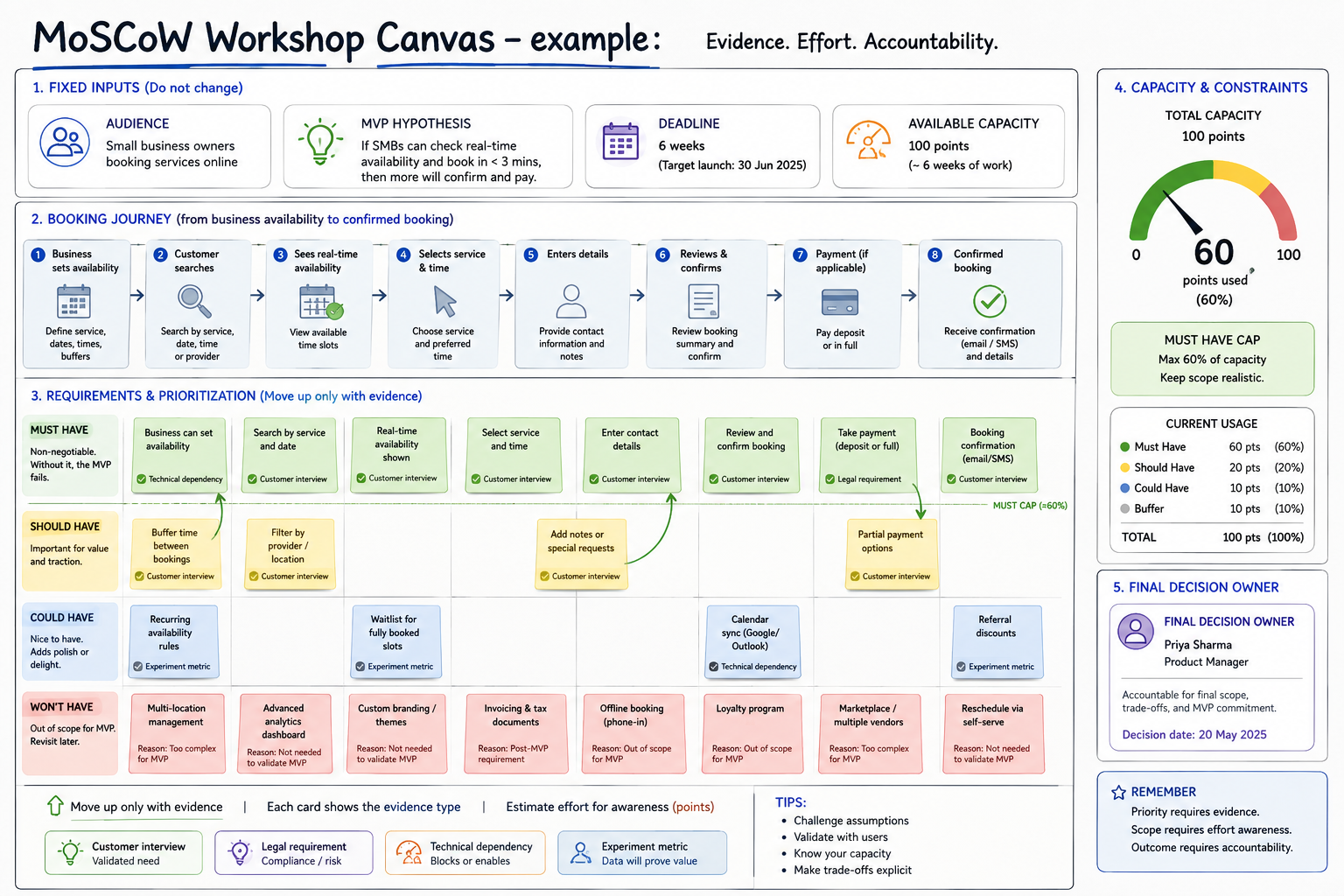
DSDM guidance suggests keeping Must Haves to about 60% of the available effort. Treat that as a warning light, not a mathematical law. If Must Haves fill the schedule, the plan assumes that every estimate is right and nothing unexpected will happen.
Add evidence and run a focused workshop
MoSCoW becomes a political exercise when priorities reflect whoever argues hardest. Every requirement should have a short reason behind it. That reason might come from a customer interview, an observed workflow, a regulation, a technical dependency, or a usability test.
In the workshop, state the hypothesis, deadline, and available capacity. Map the smallest complete journey, then start every requirement in Won't Have. Move it up only when someone can explain why it deserves the space.
Before wrapping up, challenge the Must list again and estimate the effort behind it. Record the decisions. One person should have final responsibility for the scope when the room cannot agree.
Review priorities throughout delivery
Priorities will change during delivery. Revisit them when an estimate moves, research challenges an assumption, or the team discovers a dependency.
Do not add a new Must without removing, shrinking, or reclassifying something else. After launch, use what people actually do. A Should may become a Must because users keep getting stuck. A feature that seemed important may drop into Won't because nobody asks for it.
A focused MVP delivers one useful outcome and gives the team evidence for the next decision. Everything else can wait until users give you a reason to build it.
If your team is stuck deciding what version one should include, we can work through the scope with you and carry it into design and development. See how One Peak approaches MVP development.